Go to Windows platform Display platforms icon
Go to Windows platform Go to Mac platform Go to Android platform Go to iOS platform
Free ISO Creator icon

Free ISO Creator

2.8
4 3 reviews
255.4 k downloads
security security

Easily create ISO images

Advertisement
Remove ads and more with Turbo
Advertisement
Remove ads and more with Turbo
Uptodown Content Team icon
Reviewed by
Uptodown Content Team
Review written by Uptodown's in-house Editorial Team using the insights provided by minidvdsoft. Translated by Uptodown Localization Team

Free ISO Creator is a free application for Windows that does exactly what it promises: create ISO images in the easiest way possible.

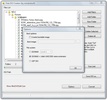
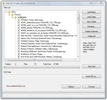
All you have to do is select the files and directories that you want to include in the ISO image, arrange them to your liking within the initial directory, rename some of them if need be, and go on to create the image.

Advertisement
Remove ads and more with Turbo

An automatic meter will let you know how much space the final ISO image will take up, and you can use this knowledge to add or delete files.

We recommend Free ISO Creator for anyone who needs to create an ISO image, and wants to do it quickly and easily.

Information about Free ISO Creator 2.8

Basic information

Developer minidvdsoft
Category CD/DVD
Rating All ages
Languages English

Distribution model

Pricing Free
License Proprietary
Copyright © 2026 minidvdsoft
Why is this app published on Uptodown? (More information)

Security and privacy

Required permissions Not applicable
See security and antivirus report

Download info

Downloads 255,381
Date Nov 19, 2008
File type EXE
Size 1.03 MB
SHA256 711afb3351b879516a6f91bcf9573138610cd530debfb587aaa276bb9df4bd64
Advertisement
Remove ads and more with Turbo

Rate this App

Review the app
Free ISO Creator icon

Rating

4.0
5
4
3
2
1
3 reviews

Comments

intrepidbluebamboo3541 icon
intrepidbluebamboo3541
9 months ago

Perfect for what I wanted. Create a simple ISO image.

Like
Reply
sillypinkchameleon89783 icon
sillypinkchameleon89783
in 2020

I would like to know if the installed programs are also preserved? I would like a feature that allows me to quickly create a recovery point. Ignore the 3-star rating; I'm asking before using it.

1
Reply
Advertisement
Remove ads and more with Turbo
UltraISO icon
Work with the content of ISO images
Daemon Tools Lite icon
The lite version of Daemon Tools
DAEMON Tools Pro icon
Use your DVDs or Cds with copy protection on your PC
Win32 Disk Imager icon
Write CD or DVD image files to your Pendrive or SD card
Ashampoo Burning Studio icon
One of the easiest ways to burn and copy CD, DVD and Blu Ray
CDBurnerXP icon
Free and useful CD burning utility
Nero Burning Rom icon
The best tool for burning CDs, DVDs, and Blu-rays
AnyBurn icon
Burn CDs, DVDs, and Blu-ray discs with ease
AnyDesk icon
Faster remote desktop is possible
Phone Link icon
Easily synchronize your Android with Windows
SSuite Office WordGraph icon
A Brilliantly Efficient Word Processor for Modern Creators.
Windows 10 icon
Download the latest Windows 10 ISO on your device
WPS Office icon
An editing tool with powerful features
Logitech G HUB icon
Full control over your Logitech G peripherals
360 Total Security icon
Anti-virus protection, system cleaning and full optimization
Avast One Free Antivirus icon
A free, powerful and easy-to-use antivirus